
The Reset Lock tool unlocks patient encounters and referrals to enable a user to access these records. A locked record is a technical issue—often attributed to loss of internet connectivity—not a patient chart or encounter with restricted user access.
How Do I Know If a Record is Locked?
When attempting to open a locked encounter or referral, a message stating the record is being edited will display:
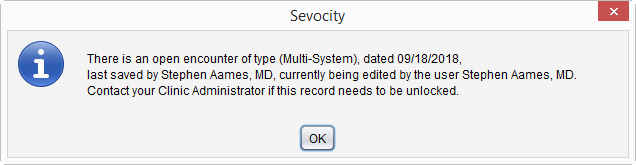
Clicking OK will dismiss the message but the encounter or referral will not be accessible for editing, even by the user listed as the current editor.
Reset a Locked Encounter
- Go to Tools > Administration > Reset Lock > Reset Patient Record Lock
- Enter the search criteria for the patient with the locked encounter
- Click Search
- Select the patient from the search results list and click OK
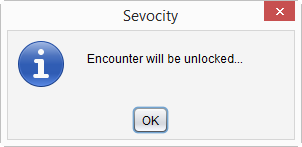
- Click OK to acknowledge the encounter will be unlocked
Reset a Locked Referral
- Go to Tools > Administration > Reset Lock > Reset Patient Referral Lock
- Enter search criteria for the patient with the locked referral
- Click Search
- Select the patient from the search results list and click OK
- Click OK to acknowledge the referral will be unlocked