The Clinical Decision Support Reminder List Report displays a list of all patients who have not satisfied a specific Clinical Decision Support. Clinical Decision Supports are created using the Clinical Decision Support tool.
Run the Clinical Decision Support Reminder List Report
- From the Reporting Tool, go to Reports > Clinical Decision Support Reminder List
- Select a CDS from the list
- Optional: select a Preferred Language
- Optional: select Allergy, Medication, Problem, or Lab Result clinical criteria
- For the Allergy, Medication, Problem, and Lab Result criteria, clicking Retrieve produces a selection list of all allergies, medications, problems, and lab result fields currently active for the clinic’s patient population
- Only one item can be selected for each clinical criteria
- If a Lab Result is selected, a Low or High result range can be specified
- Select Patients to include
- Click Create Report

Note
Reports with an extensive amount of data are unable to be generated as a PDF and will require the user to export the report to view the data.

Report Display
The Clinical Decision Support Reminder List report will display Patient Last Name, First Name, Patient Demographic Information, and Preference for Reminders.

Upon export, the following data elements will be included with the report: Street Address, City, State, Zip Code, Home Phone, Cell Phone, and Email.
Export Report Data
Generated report data can be exported and saved outside of Sevocity to a destination selected by the user, such as a network drive or local machine.
- From the report, click Export
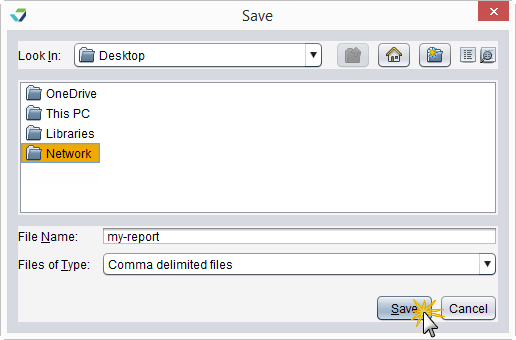
- Select a location to save the file and type a File Name
- Click Save
The data will be saved as a comma-delimited file (.csv)
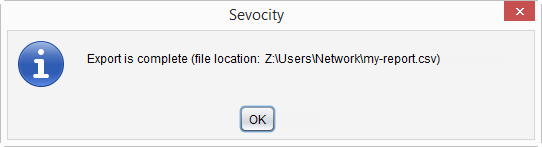
Click OK to acknowledge that the export is complete
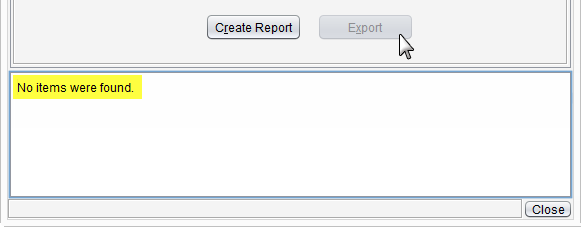
Why is the Export Button Disabled?
The Export button becomes enabled only if there is data in the generated report.