
The Help Menu contains links to Sevocity support resources.
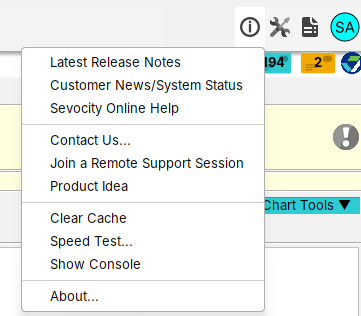
Latest Release Notes: opens the latest Release Notes page with the latest updates in features and functionality
Customer News/System Status: external link to Sevocity’s Customer News page with System Status, important news, and more
Sevocity Online Help: external link to Sevocity’s Online Help site
Join a Remote Support Session: opens an external link to a remote support tool. Remote support sessions can only be initiated by Sevocity Support. A link to this tool is also available when clicking  on the Sevocity Login Screen
Clear Cache: tool used to troubleshoot issues with the medication portal
Speed Test: external link to an internet speed test to assess local internet performance
Show Console:
About: