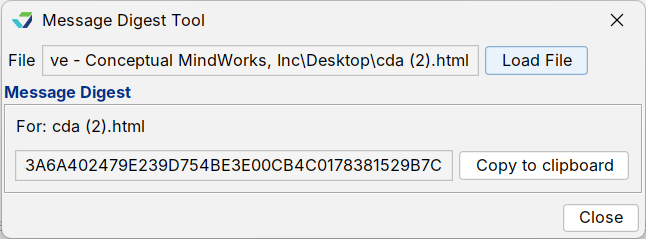
The Message Digest Tool is a integrity protection control used to verify if a patient data file received during an electronic exchange (such as a C‑CDA file received using Direct Message) has been altered or changed in any way.
“Hashing” is an algorithm that creates a value (hash value) for a file that allows it to be compared against the hash value of the same file to verify its integrity, typically after the transmission or transport of the file. Comparing the hash values immediately verifies if the files are identical without having to open the files and compare them manually.
The Message Digest Tool creates a hash value for a file for comparison with the original file (if received) or with the transported file (if sent).
Create a Message Digest
- Go to Tools > Administration > Message Digest Tool
- Click Load File
- Locate and select the file from the local computer or directory and click Open
- Click Copy to clipboard to copy the generated hash value
- Click Close