
This is a suggested workflow and can be adapted to fit the clinic’s needs.
Open Patient Encounter
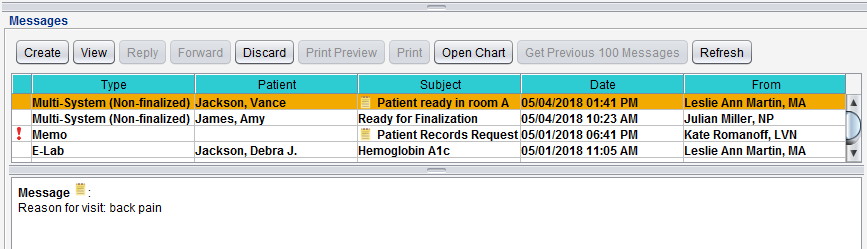
- From the Messages inbox, select the routed encounter
Click View or double-click to open
Document Encounter
Sevocity Best Practice
Before beginning documentation in an encounter, perform an integrity check to verify the following information is correct: Patient Name, Encounter Type, Encounter Date, and Encounter Location
- From Note Display, review the documentation added by the clinician
- Click the Chief Complaint(s) hyperlink from the Note Display or click the HPI tab
- Select the chief complaint and click Change
- Document details related to the chief complaint
- Document the Physical Exam
- Add the Assessment
- Reconcile current medications and prescribe new Medications
- Add Orders and create Referrals
- Document the patient Plan
- Add Patient Instruction
- Add E/M Coding
- Click Done and select Finalize
- Click Finalize