
The Coding tab is used to add a billable E/M code to an encounter based on the services provided. Encounters that include the Coding tab require a visit code or a designation of Uncoded for finalization.
Encounter Types
Coding is available in the following encounter types: Exam, Multi-System, Reconciliation, Telephone, and Urgent Care.
Configuration
- E/M Modifiers can be customized by the Clinic Administrator in Clinic Wide Form Data: Coding
Coding Tab Display
Upon accessing the Coding tab, two elements display: a Visit Type selection list and an Uncoded checkbox.

Multi-System encounters with a designated Place of Service of Assisted Living Facility, Home Services, Long Term Care, or Skilled Nursing Facility will display Coding tab options specific to the place of service.
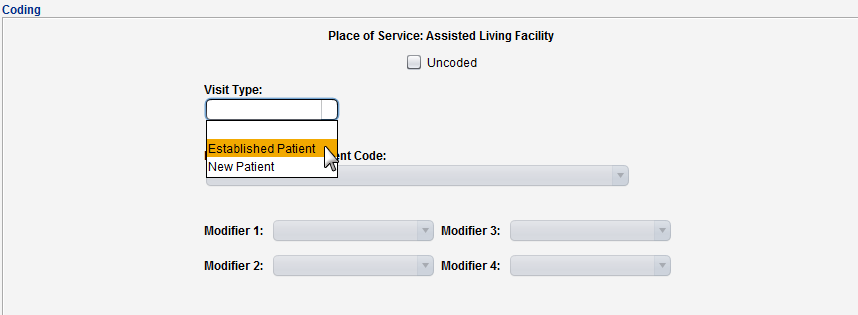
The Coding tab display adapts to the Visit Type selected to provide the appropriate code or range of codes for the services provided.

Medical Decision Making and Time Spent E/M Coding
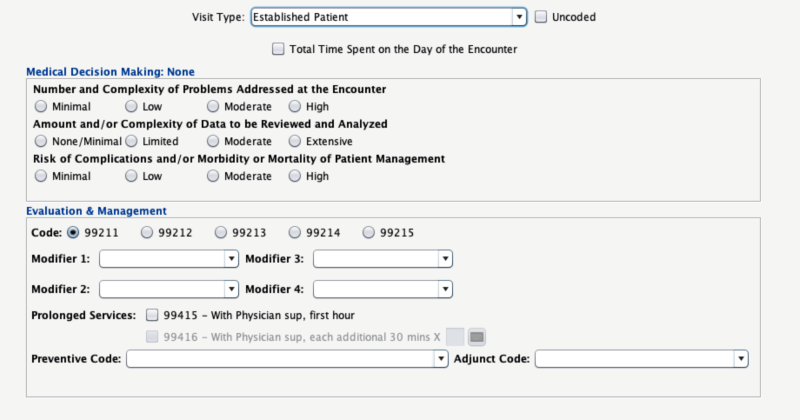
E/M coding can be documented based on medical decision making or total time spent on the day of the encounter.
Medical Decision Making
To document a visit based on medical decision making, a level of complexity can be selected for:
- Number and Complexity of Problems Addressed at the Encounter
- Amount and/or Complexity of Data to be Reviewed and Analyzed
- Risk of Complications and/or Morbidity or Mortality of Patient Management
Based on the level of medical decision making, an E/M code is selected for the visit. Modifiers, Prolonged Services codes, an Adjunct Code, and a Preventive Code can be added to comprehensively code the visit.
Total Time Spent
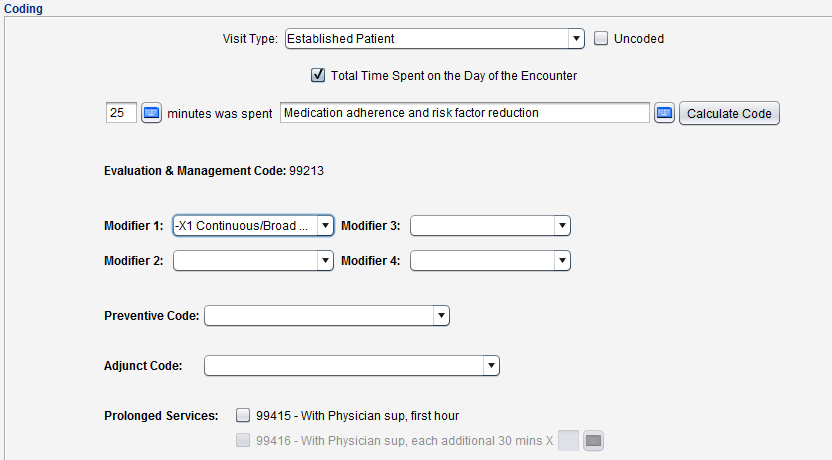
To document a visit based on the total time spent:
- Select the Total Time Spent on the Day of the Encounter checkbox
- Type the total visit time in the minutes field
- Type a description of the visit services in the free text field
- Click Calculate Code to calculate the appropriate E/M code based on the input provided
- Optional: add a Modifier, Preventive Code, Adjunct Code, or Prolonged Services code to comprehensively code the visit
Document a Visit Type of ‘Other’
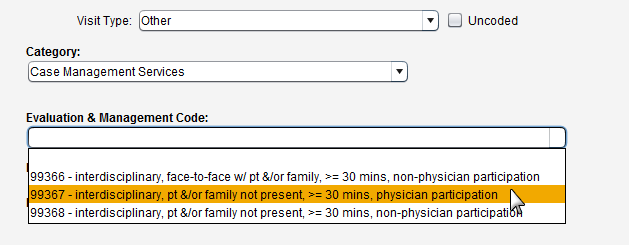
- Select Other from the Visit Type list
- Select a visit Category
- Select a code from the Evaluation & Management Code list
- Some visit categories have only one E/M code
- Optional: add a Modifier or Prolonged Services code
Uncoded Checkbox
Select this checkbox only if the encounter does not require a billable E/M code.