
The Implantable Devices tab is used to document and maintain a patient’s implantable devices, such as pacemakers and IUDs.
Permissions
Users must have an Access Level of Restricted Chart Entry or Full Chart to access this tab
Configuration
Clinic Administrators can enable this tab by going to Clinic Settings: General and selecting Enable Implantable Device List
Add an Implantable Device
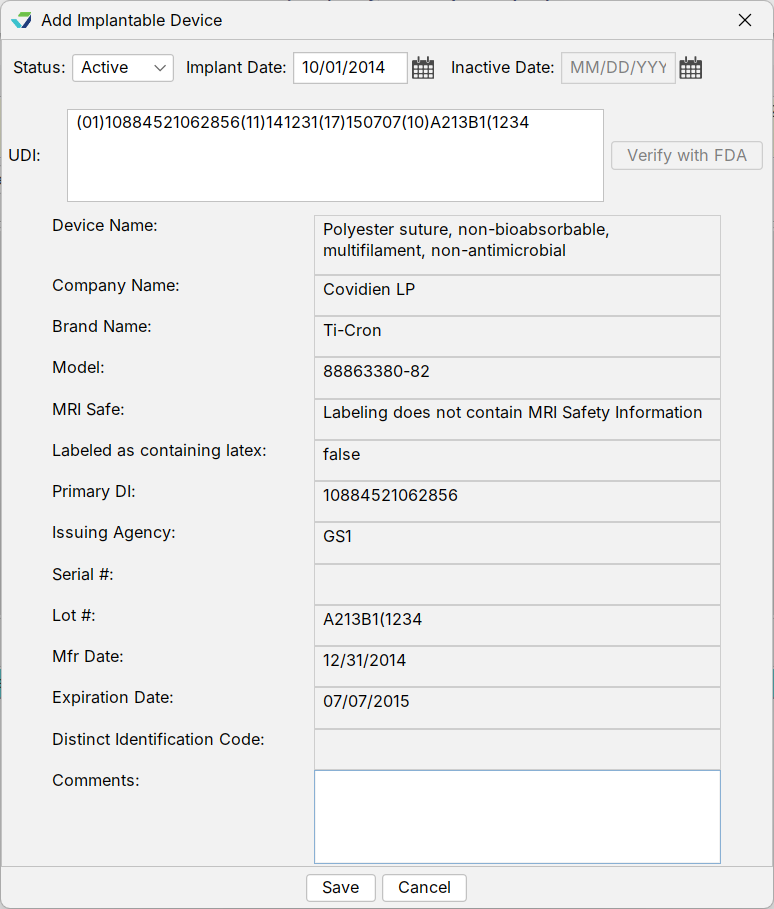
- From the Implantable Devices tab, click Add
- Add the Implant Date
- When adding an implantable device, the device Status will default to Active
- Type the Unique Device Identifier (UDI) for the implantable device
- Click Verify with FDA
- Clicking the Verify with FDA button queries the FDA’s Global Unique Device Identification Database (GUDID) and returns all available device information, such as device name, brand name, and model number
- This information is populated as read-only data
- Optional: type notes in the Comments field
- Click Save
Edit an Implantable Device
An implantable device record can be updated to correct the Implant Date or to add or edit comments.
- From the Implantable Devices tab, select the implantable device entry and click Change
- Update the Implant Date or the Comments field
- Click Save
Inactivate an Implantable Device
- From the Implantable Devices tab, select the implantable device entry and click Change
- Select Inactive from the Status field
- Add the Inactive Date
- Click Save
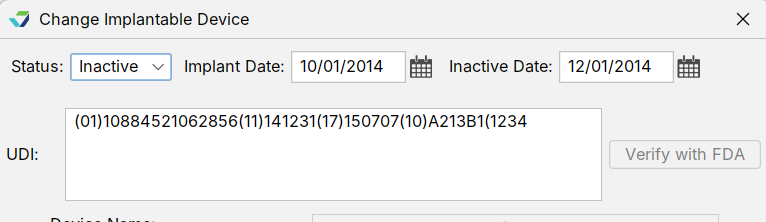
The device entry will be moved to the Inactive list.
Delete an Implantable Device
Note
Delete should be used only if a device is added to a patient chart in error. If a device needs to be inactivated for a patient, follow the steps for inactivating an implantable device
From the Implantable Devices tab, select the implantable device entry and click Delete. The device will be moved to the Inactive list but will not be assigned an Inactive Date. The device will display in red text to communicate its deleted status.

View an Implantable Device
The Implantable Devices tab defaults to the Active device list view. Select an item from the list to view the details for the active device.
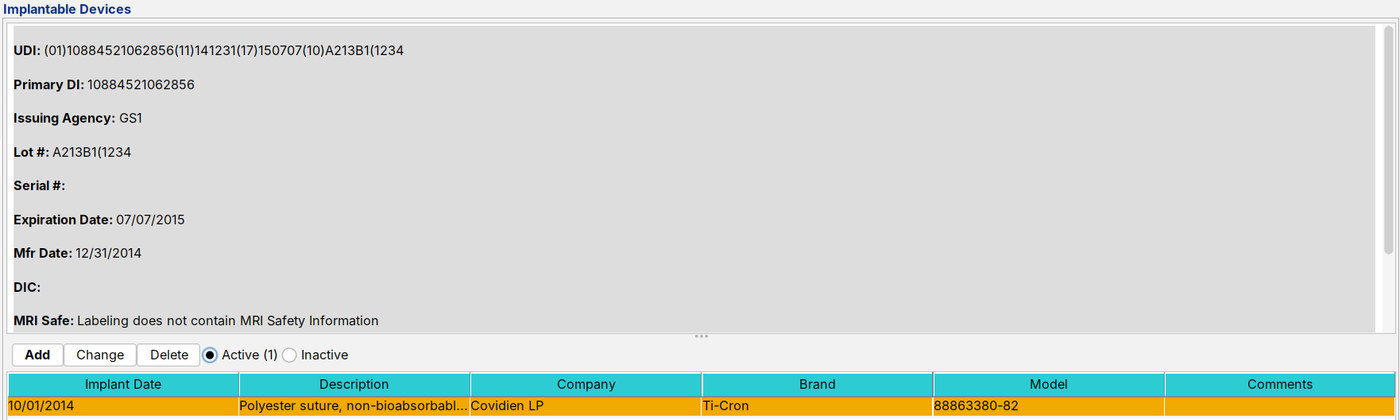
To view the inactive device list, click the Inactive radio button. Select an item from the list to view the details for the inactive device.

The number of active and inactive implantable devices for a patient displays in parentheses next to each list name.