
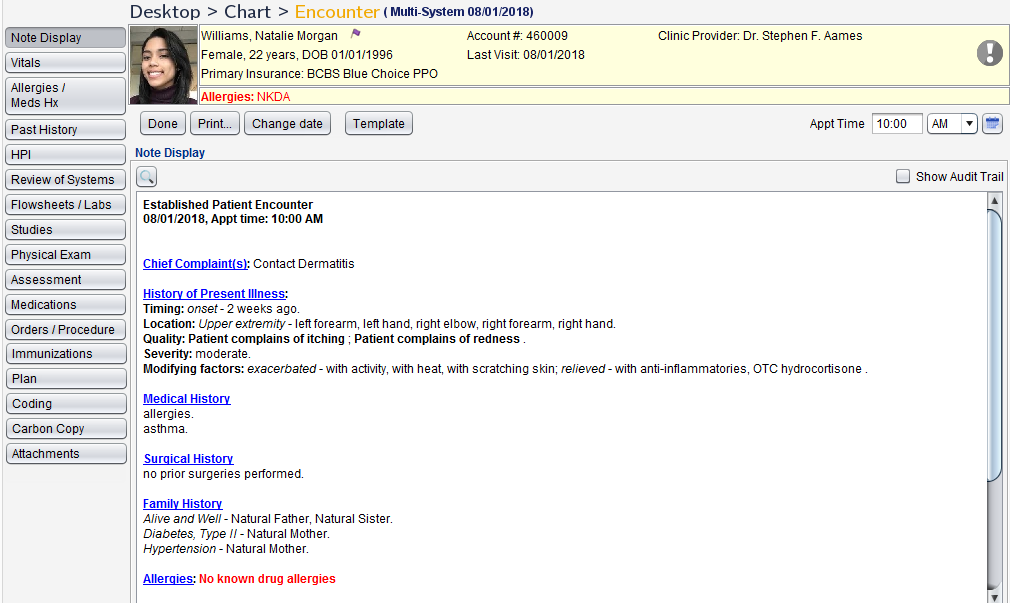
The Note Display tab displays information documented in the current encounter and the names of the users who created the documentation in a text note format.
Encounter Types
Note Display is available in all encounter types.
Configuration
- The display for Past History, HPI, Review of Systems, Flowsheet, and Physical Exam documentation can be set to List or Paragraph format by the Clinic Administrator by going to Tools > Preferences > CLINIC > Clinic Settings: Display
- The display for Vitals can be set to List or Paragraph format by the Clinic Administrator by going to Vitals General
- Text formatting for the Problem List can be set by the Clinic Administrator by going to Tools > Preferences > CLINIC > Clinic Settings: Display
- Encounter Service Level Code and Medical Decision Making (MDM) can be selected for inclusion on the Note Display at the user and CLINIC level. Go to Tools > Preferences > CLINIC or [user] > Application Settings > General
Note Display
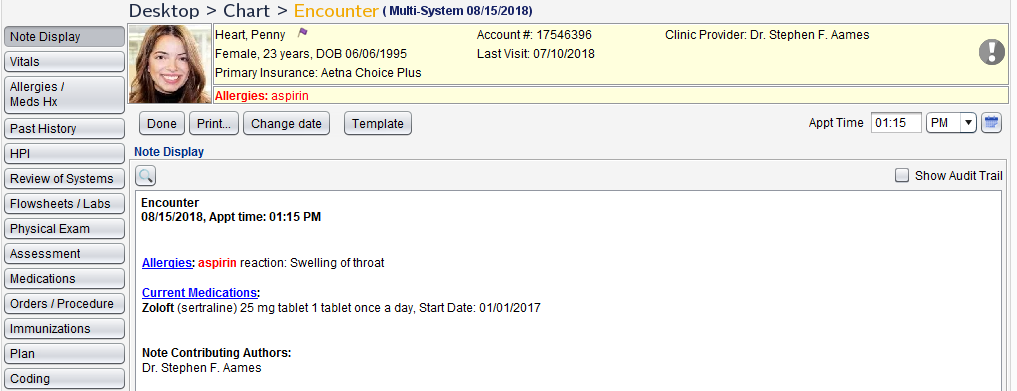
Upon starting a new encounter, the encounter date and the name of the user (Note Contributing Authors) who created the encounter will display. Allergies and Current Medications will also display if the information was documented for the patient in a previous encounter.
Note Search
A term search can be performed in the encounter note text. To perform a search:
- Click the
 button
 - Type the term or word in the Find field
- Click Find Next to locate each instance of the term in the note text
Audit Trail
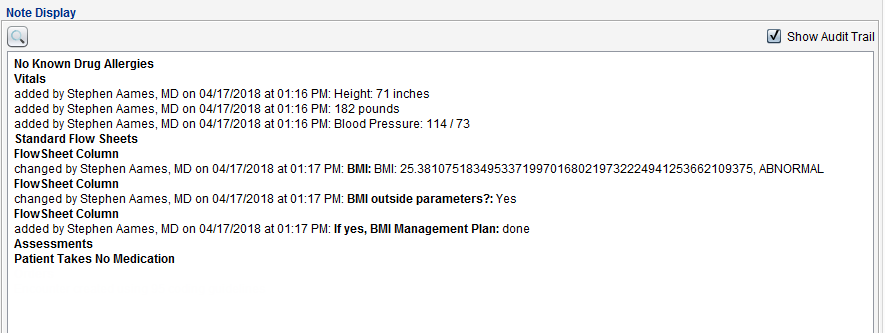
User activity within an encounter—such as additions, changes, or deletions—can be viewed by selecting the Show Audit Trail checkbox. The audit trail displays the action, user who performed the action, and date and time the action was performed next to each item documented in the encounter.
Tip
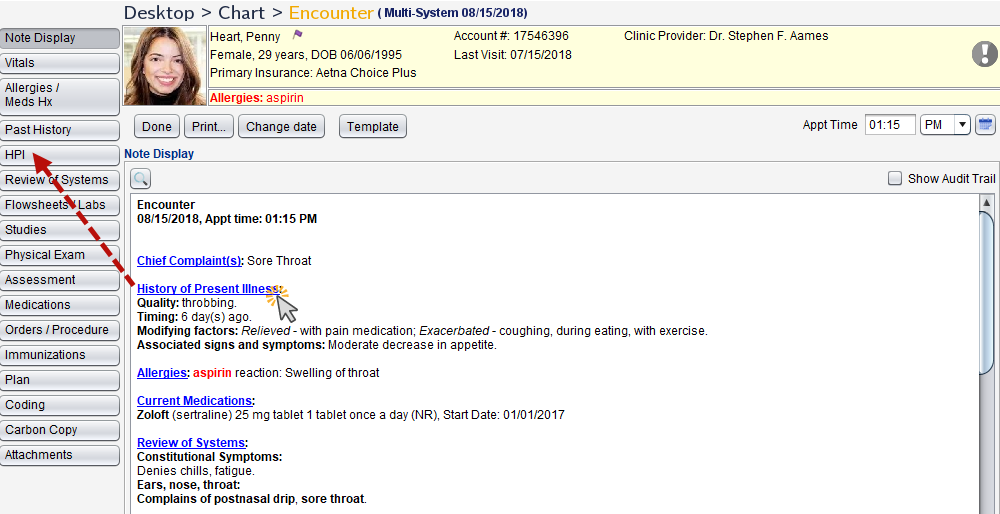
| Click on a section header hyperlink in the Note Display to navigate to the encounter tab where the information was documented | ||
 | ||