
In This Release…
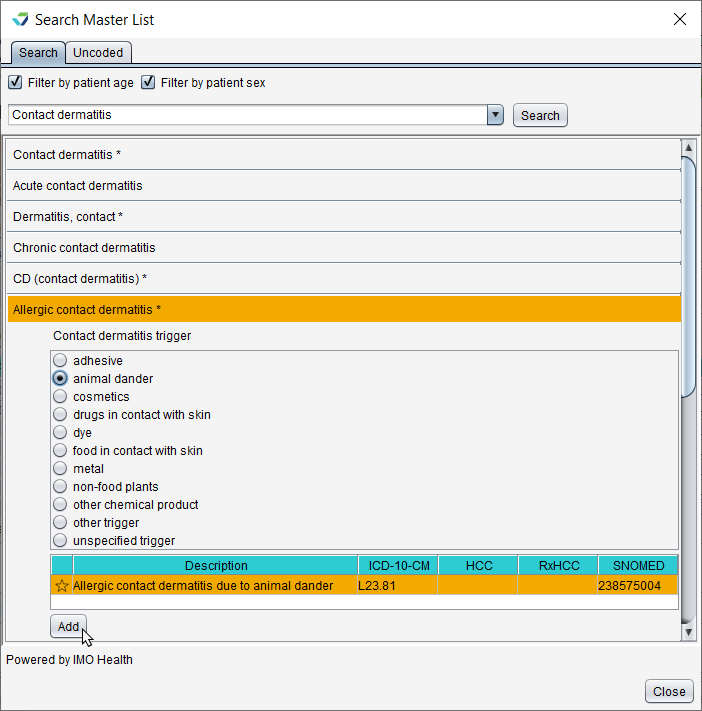
Assessment Search Now Powered by IMO Health
Searching for and adding assessments has been improved with IMO Health functionality. IMO Health streamlines problem list management, while helping clinicians document with ease and specificity.
Transition Note
Existing assessments in the patient problem list, the assessment Favorites list, and encounter templates remain unchanged.
Demographics Improvements
Demographic fields to document Tribal Affiliation can now be added to the patient Additional Info tab
The Tribal Affiliation fields do not display by default and can be enabled by the Clinic Administrator in Clinic Settings: General
The fields from the Parent/Guardian/Spouse/Partner section of the patient Additional Info tab have been moved to a new tab labeled Related Person
There is no impact to any existing data in these fields
The Guardian 1 and Guardian 2 sections have been renamed Related Person 1 and Related Person 2, respectively
Insert Fields for Housing Status, Gender Identity, and Sexual Orientation have been added to the Demographics menu in the Letters tool
Encounter Appointment Time
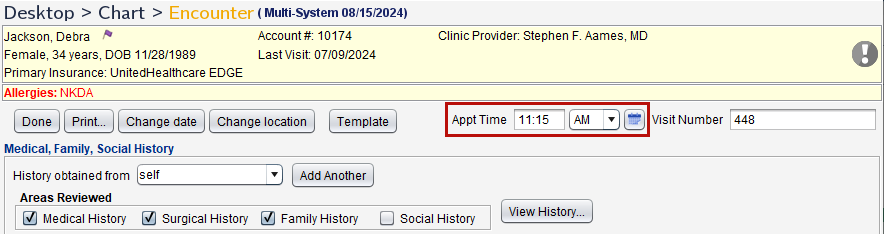
A field for appointment time (Appt Time) has been added to all encounter types, with the exception of Historical and OB Delivery Summary encounters. This field is enabled by default and can be disabled by the Clinic Administrator by going to Tools > Preferences > CLINIC > Clinic Settings: Display and clearing the Display appointment time on note checkbox.
Legacy Feature Phase Out
The ability to search for and add ICD-9 codes has been removed from Sevocity. There is no impact to ICD-9s that exist as active problems in a patient’s chart.
The Export CCD(s) tool is no longer accessible from the Clinic Administration menu. Customers interested in a batch CCD export should contact Sevocity Support for more information.
Messaging Improvements for Patients Using the Patient Portal
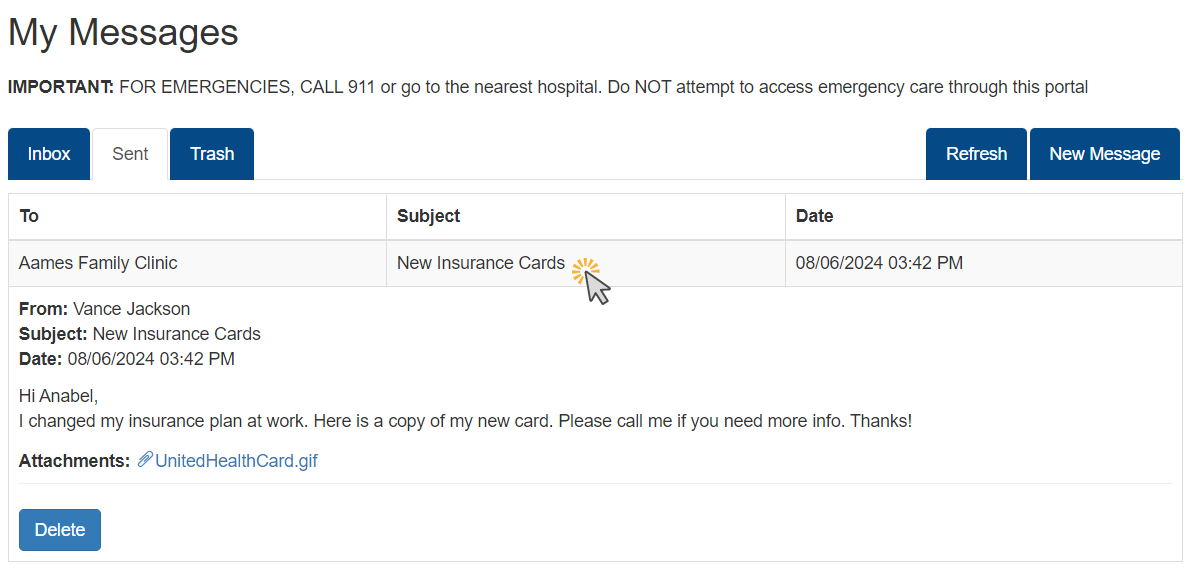
Folders for Sent and Trash (deleted) messages have been added to the patient portal to help patients manage their communications with the clinic. The Portal User Guide for Patients has been updated with these new features.
Product-Wide Enhancements
The following changes have been made to Sevocity for improved usability:
Provider NPI has been added to printed Orders and Referrals
Referrals will also display the NPI of the Refer To provider if the information is stored in the Contact List
The Refresh button has been replaced with a refresh icon (
 )
)
Questions about our new features?