
In This Release…
Clinic Provider Demographics Requirement
Clinic Provider is now required for all patient charts. Accessing a chart without a designated Clinic Provider will prompt the user to select a provider.
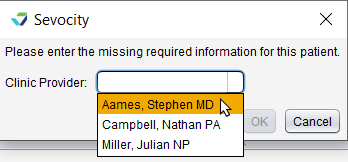
Note: Clinics with only one Clinic Provider will have the provider assigned by default to all patient charts and will not be prompted to select a provider.
Chart Export Improvement
PDF Export has been added to the available formats in the chart Export tool. This feature exports a patient’s finalized encounters, imported documents, and e-Lab results as PDFs.
Chart Vitals
Vitals/Growth Charts is a new chart tab for documenting patient vital signs and generating growth charts for pediatric patients. For patients 18 years of age and older, the tab displays as Vitals.
Additionally, the following enhancements and features have been added to streamline the Vitals workflow:
Pediatric growth charts in the patient chart have been moved from the Immunizations tab to the new Vitals/Growth Chart tab
Selecting the column header for any vitals entry in the chart or encounter will display all data for that entry, including growth chart percentiles for pediatric patients
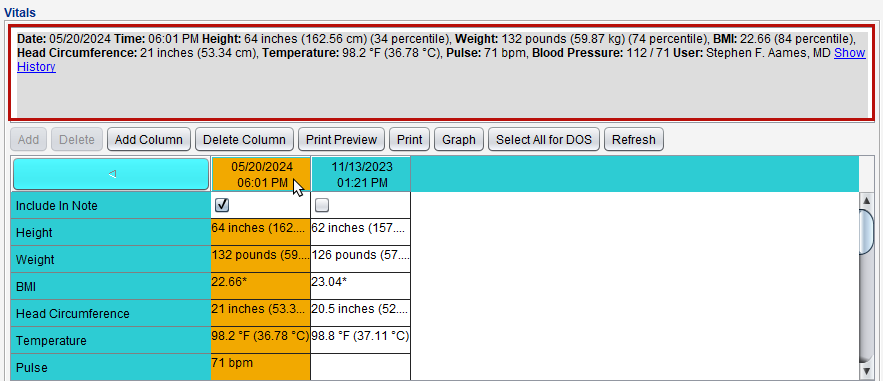
Clicking the new Refresh button in encounter vitals will update the vitals data column with entries added after the encounter was opened
Clicking the new Select All for DOS button will select the Include in Note checkbox for all vitals entry columns with the same date of service as the encounter. This feature was also added to Custom and Standard flowsheets in the encounter
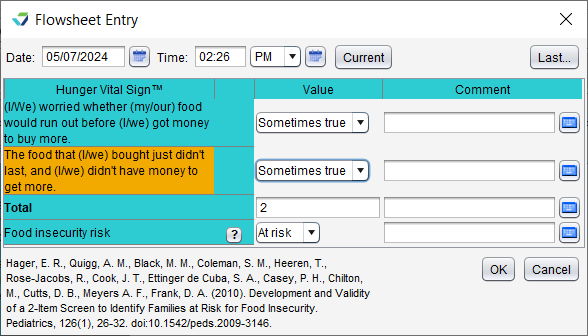
Hunger Vital Sign™ Standard Flowsheet
Hunger Vital Sign has been added to the list of Standard Flowsheets in the chart and encounter. This screening tool is used to identify individuals and families at risk for food insecurity.
Immunization Improvements
A section for COVID-19 vaccine administration is now available in the Immunizations tab for all age ranges. Additionally, patient immunization records will display in descending order in both the encounter and chart.
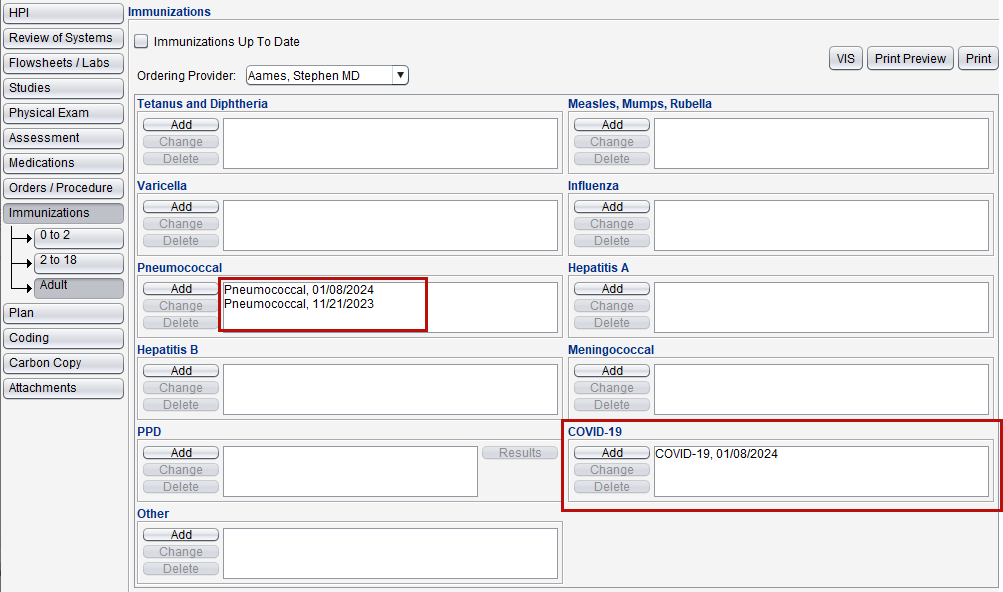
Immunizations display is a clinic preference and is set to descending order by default. This preference can be updated by the Clinic Administrator by going to Tools > Preferences > CLINIC > Clinic Settings: Display and selecting Ascending or Descending for Immunizations by Date.
Product-Wide Enhancements
The following changes have been made to Sevocity for improved usability:
Cell Phone has been added to the Demographics Report
Contacts in the To list in Send Clinical Summary now display the contact’s email address
The Current open encounters window displays the Reason for Visit and encounter Summary and has been enhanced with the ability to view the encounter details prior to opening it, by clicking the
 button next to the encounter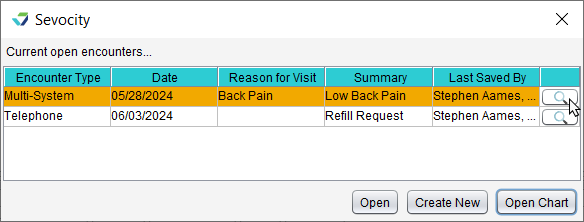
Provider-Patient Data Exchange Renamed Direct Message
Provider-Patient Data Exchange (PPDX) has been renamed Direct Message to better reflect its purpose and use. There are no changes to the functionality of this feature.
Search in Directory Added for Referrals
The ability to search for and add a contact using the Search in Directory feature is now available in the following areas to document a referral source:
HPI tab
Carbon Copy tab
Pregnancy tab in Patient Information
Delivery and Neonatal tabs in OB Delivery Summary encounter
Questions about our new features?