
In This Release…
Additional 2020 eCQM Reports
Eight additional eCQM reports and workflows for the 2020 performance year are now available:
To access the new reports, go to Reports > eCQMs > 2020
Admissions Tab
The Admissions tab is a new feature available in the patient chart and is used to document a patient’s admission and discharge events for residential care or skilled nursing facilities.
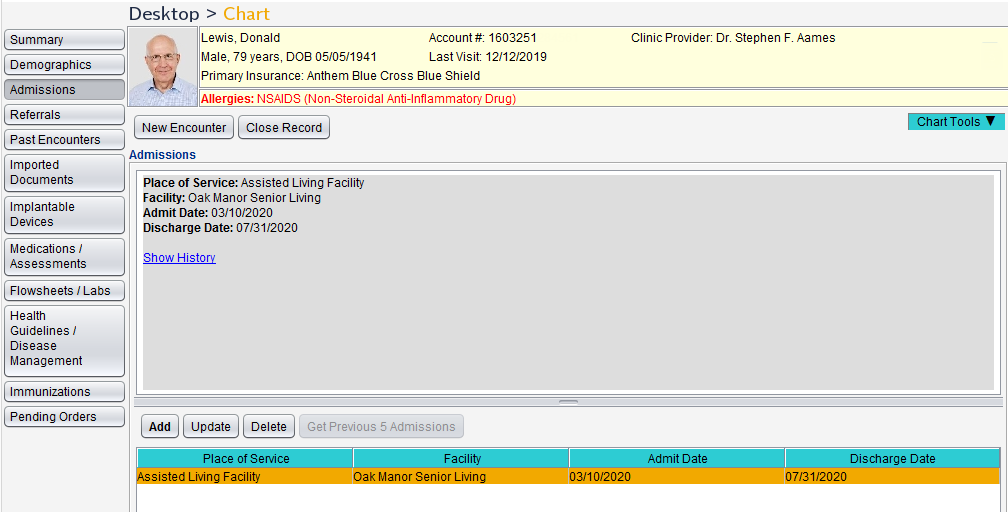
Clinic Administrators can enable this feature by going to Tools > Preferences > CLINIC > Clinic Settings > Display and selecting the Enable Admissions Tab checkbox.
Note
The Admissions tab will be enabled by default for Sevocity Geriatrics Select EHR™ customers
Breast Cancer Screening Flowsheet Update
The Patient excluded due to the following reason field has been removed from the Breast Cancer Screening Standard Flowsheet to support eCQM requirements.
Any historical data documented in this field will remain in the flowsheet for viewing but can no longer be updated. If reporting on CMS 125v8, the latest denominator exclusion workflows should be reviewed, as data from the removed field is no longer applicable for this report.
Enhancement to Vitals Tools in Clinic Preferences
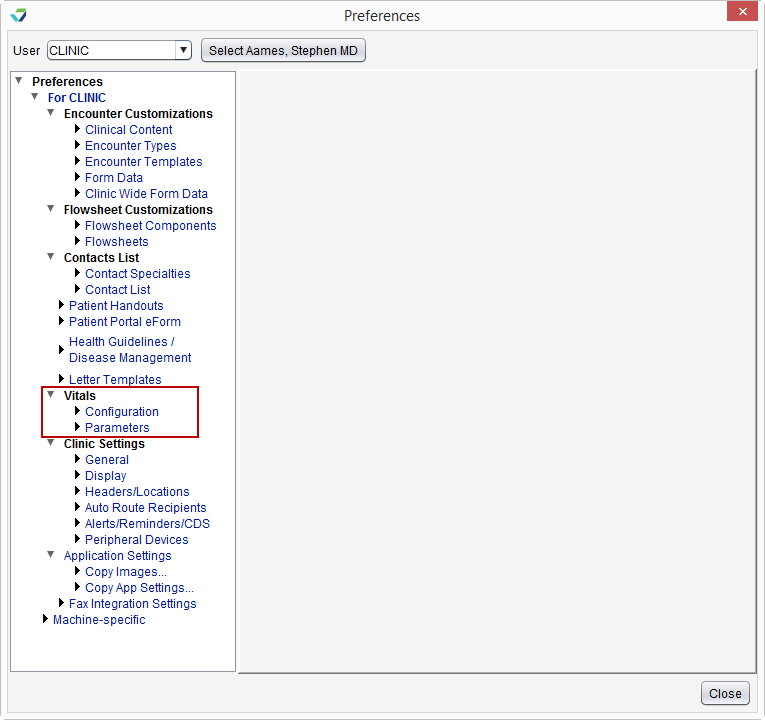
The Clinic Administrator tools for Vitals Parameters and Vitals/Growth Charts have been renamed and moved to a new menu in Preferences. To access these tools go to Tools > Preferences > CLINIC > Vitals and select Configuration (formerly Vitals/Growth Charts) or Parameters (formerly Vitals Parameters).
Questions about our new features?