
In This Release…
2020 eCQM Reports
eCQM reports for the 2020 performance year are now available in addition to updated measure workflows. To access the new reports, go to Reports > eCQMs > 2020. Click here to view the 2020 eCQM workflows.
Two new reports have been added to Sevocity to address patient population needs:
Barcode Scanning for Immunizations
The ability to scan 2D barcodes from vaccine vials or syringes is available in the Immunizations tab of an encounter. This feature is designed for use in documenting vaccines administered by the clinic. 2D barcode scanning is not available for documenting historic immunizations.

Clinic Administrators can enable this feature in the Clinic Settings: Peripheral Devices tab. Go to Tools > Preferences > CLINIC > Clinic Settings > Peripheral Devices and select the Barcode scanning in Immunizations checkbox.
See Sevocity’s System Requirements page for product specifications and guidance on compatible barcode scanners.
New Standard Flowsheet: Frailty Device
Frailty Device has been added to the list of Standard Flowsheets. The Frailty Device flowsheet is used to capture common frailty devices being used by a patient such as a wheelchair or respiratory assist device. The Device type, Start Date of use, Stop Date of use, and Reason for use can be documented in the flowsheet.
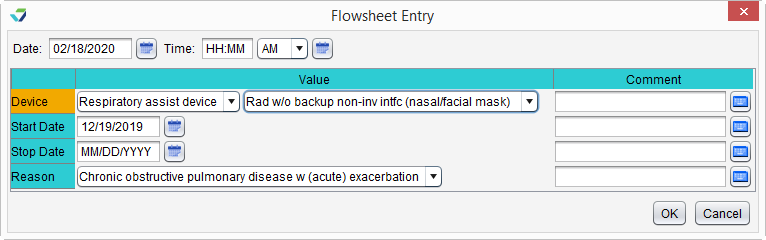
Frailty Device displays automatically in the Standard Flowsheets tab for patients who are 65 years of age or older but can be added for patients of any age.
Patient Information Enhancements
The Imm. Info and Parent/Guardian tabs have been removed from the Patient Information display in chart Demographics. The fields and any existing data from these tabs have been moved and are now visible for all patients. Previously, the fields in the Imm. Info tab were only visible to clinics with an immunization registry interface, and the fields in the Parent/Guardian tab were only visible for patients up to 26 years of age.
- The fields from the Imm. Info tab have been moved to the Patient tab
- The fields from the Parent/Guardian tab have been moved to a new tab labeled Additional Info
- The Religion, Education, Occupation, employment status, Employer, and Spouse/Partner fields have been moved from the Patient tab to the Additional Info tab
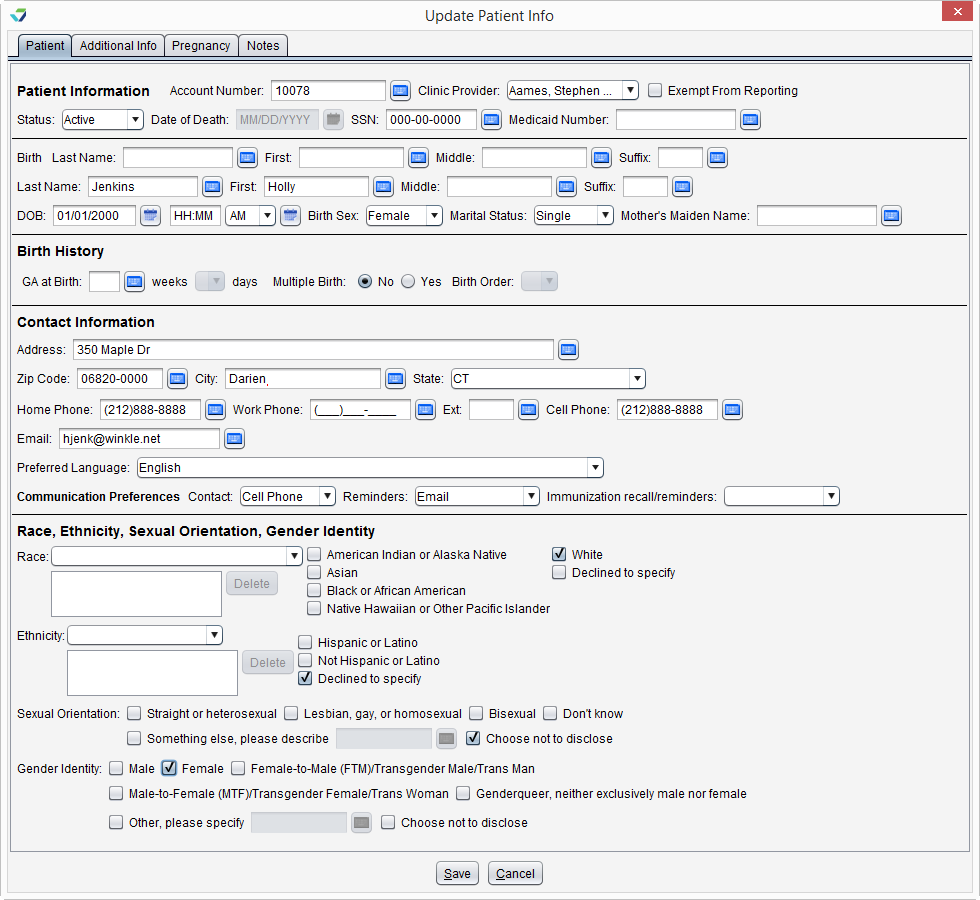
Additional enhancements to patient information include a new GA at Birth field to capture the patient’s gestational age at birth and a streamlined display of the fields in the Patient tab and on the Add a Patient Photo From a Stored Image for improved readability.
Standard Flowsheets Updates
The following Standard Flowsheets have been changed to support requirements related to eCQMs:
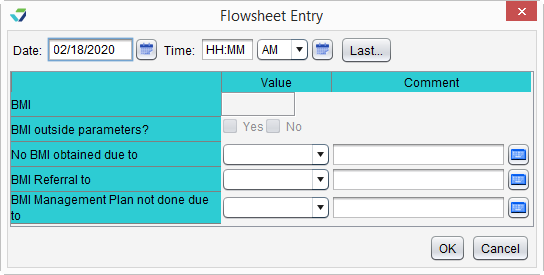
BMI – Adult
- Fields removed: If yes, BMI Management Plan and Patient is an exclusion or exception due to the following reason
- Fields added: No BMI obtained due to, BMI Referral to, and BMI Management Plan not done due to
Changes affect workflow for CMS 69v8: Preventive Care and Screening: Body Mass Index (BMI) Screening and Follow-Up Plan
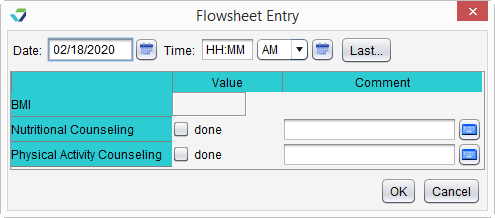
BMI – Pediatric
- Field removed: Patient excluded due to the following reason
Changes affect workflow for CMS 155v8: Weight Assessment and Counseling for Nutrition and Physical Activity for Children and Adolescents
Tobacco Cessation Intervention
- Fields removed: Advised to quit, Pharmacological therapy, Other Intervention, and Patient excluded due to following reason
- Fields added: Tobacco use cessation education, Tobacco use screening not done due to, and Patient identified as tobacco user, intervention not done due to
Changes affect workflow for CMS 138v8: Preventive Care and Screening: Tobacco Use: Screening and Cessation Intervention
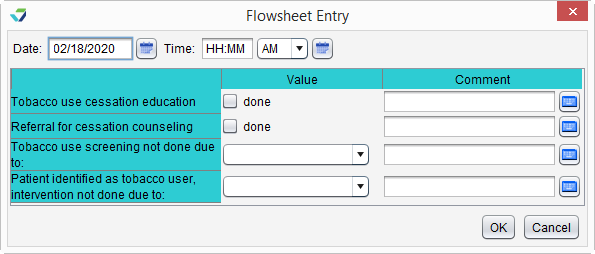
Any historical data documented for a patient in a removed field will remain in the flowsheet for viewing but can no longer be updated. If reporting on an eCQM that utilizes one of the updated flowsheets, review the latest measure workflows as data from the removed fields is no longer applicable for the 2020 reports.
Referral Date Field Enhancements
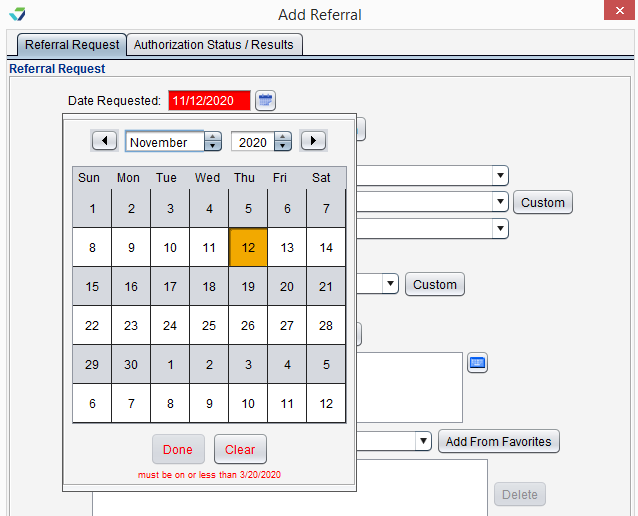
The following date fields in patient referrals will no longer accept a future date value:
- Add or Change Referral > Referral Request: Date Requested
- Add or Change Referral > Authorization Status/Results: Pt. Notified on, Date Patient Seen, Date Results Received, Date Results Given to Patient
This change affects referrals created in the chart and in an encounter.
Questions about our new features?