
In This Release…
Assessment Display Enhancement in Letters
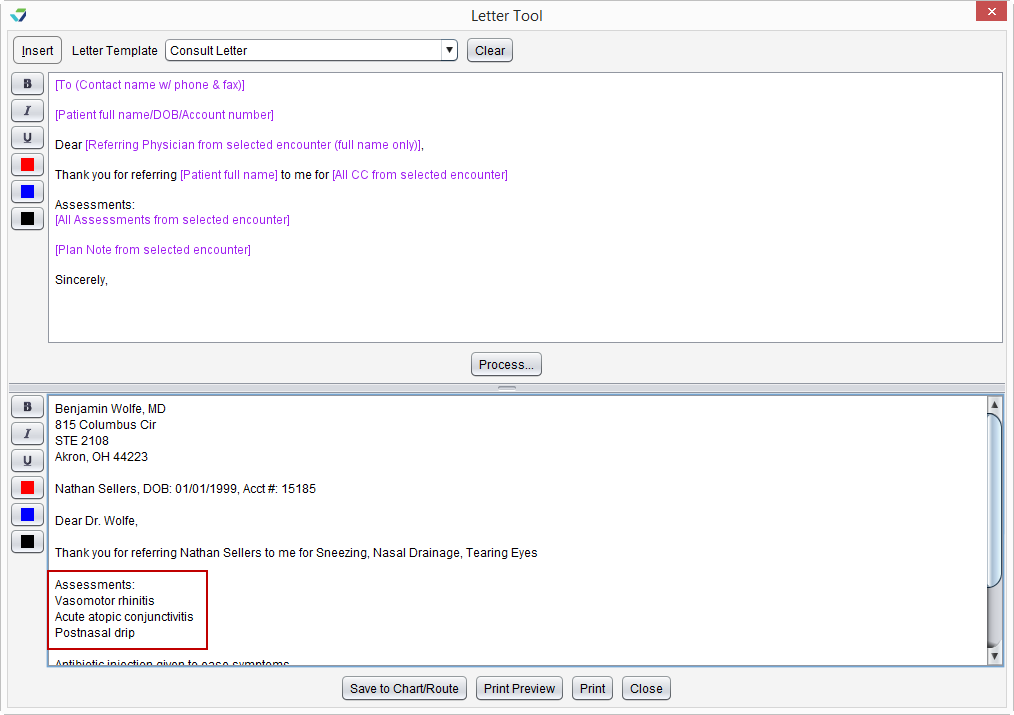
Assessments added to patient Letters using an Insert Field will display in list format instead of paragraph format for improved readability.
Contradictory Entry Alerts Added to the C‑CDA Reconciliation Tool
Contradictory Entry Alerts have been added to the C‑CDA Reconciliation Tool to assist with clinical decision making during patient data reconciliations. These alerts display when a user attempts to add a problem/allergy/medication to a patient chart when the patient has a documented entry of No Known problems/allergies/medications and when a user attempts to add an entry of No Known problems/allergies/medications to a patient chart with a documented problem/allergy/medication.
ICD-10 Code Search Changes
The Search Text feature in the ICD-10 Master List has been changed to search based on diagnosis long name descriptions only.
Footer Update for Generated Documents
The statement “Generated by Sevocity v12.0 (www.Sevocity.com)” has been added to the footer of documents generated from Sevocity. For customers using a specialty version of Sevocity , the statement will reflect the version of Sevocity being used.
New Standard Flowsheet: Cognitive Assessment
Cognitive Assessment has been added to the list of Standard Flowsheets. The Cognitive Assessment flowsheet is used to record scores for several standardized tools that assess cognition, including the Mini-Mental State Examination (MMSE) and the Montreal Cognitive Assessment (MoCA). This flowsheet can also be used to document a patient’s decision to decline a cognitive assessment screening.
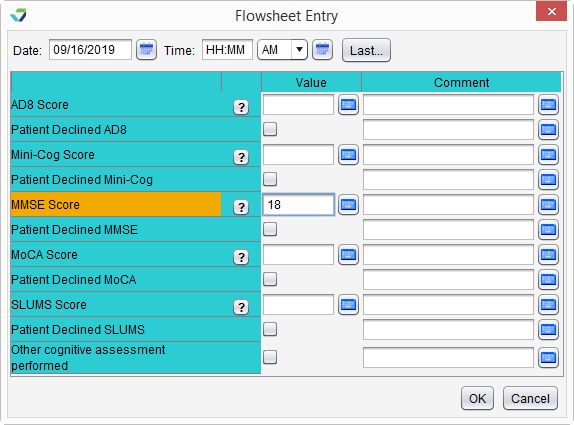
Additionally, the list of available Standard Flowsheets has been organized in alphabetical order in the Flowsheet Selection window.
Patient Portal Security Improvement
To increase patient and system security, patients who enter the wrong patient portal user name and password combination more than five consecutive times will be locked out of their account for 30 minutes. After 30 minutes, the patient may attempt to log in again. The Portal User Guide for Patients has been updated with this information.
Sender Name Added to the Fax Inbox Display
The From column in the Fax Inbox will display the sender’s name in addition to their fax number. The sender name will display if the sender’s fax number is matched to the Fax number of a provider or practice in the Contact List. If the sender’s fax number does not match a contact, only the number will display.
Note
The Fax inbox is only available for customers with an active Sfax account. Customers interested in signing up for an Sfax account or in setting up an Sfax inbox integration should contact Sevocity Support for more information.
Vaccines for Children (VFC) Program Status Display
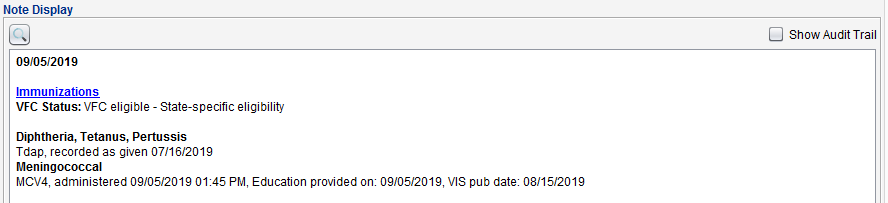
Patient VFC Status documented in the Immunizations tab of an encounter will now display on the encounter Note Display. This information was previously visible only in the encounter Audit Trail.
Questions about our new features?