
In This Release…
Move Encounter Tool Improvement
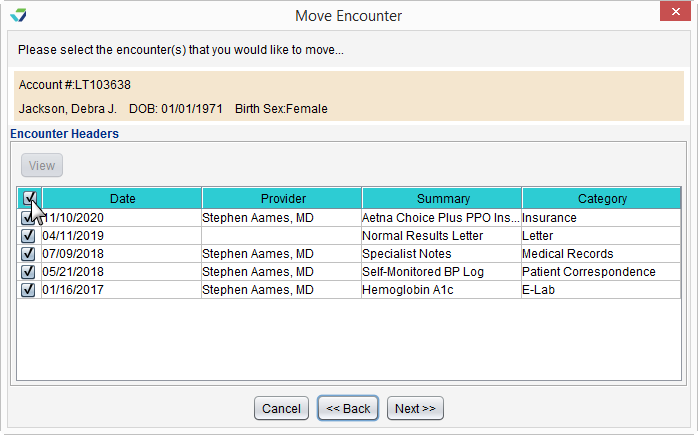
The Move Encounter tool has been improved to allow Clinic Administrators to move multiple documents at once. One or more items can be moved from one patient chart to another by selecting the checkbox next to the item.
Sevocity Best Practice
The Move Encounter tool is designed to be used for corrective action only, in the special case of a user storing a document or image in the wrong patient chart. Move Encounter should not be used as part of a standard workflow.
Patient List Display Enhancement
This feature was developed from a customer Product Idea
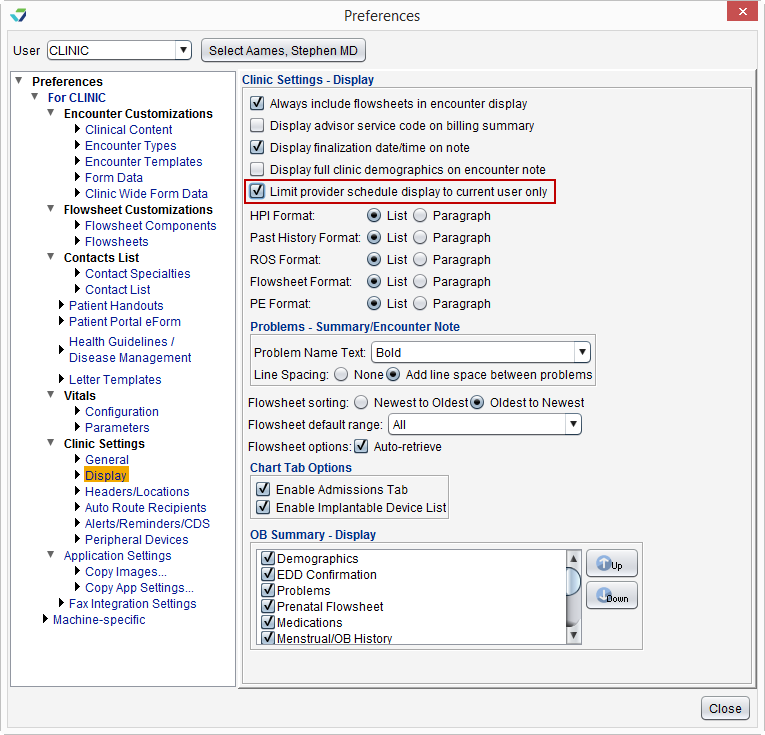
The Desktop Desktop has a new feature to display only the scheduled appointments for the logged in user. This feature is a clinic preference and can be enabled by the Clinic Administrator by going to Tools > Preferences > CLINIC > Clinic Settings: Display and selecting the Limit provider schedule display to current user only checkbox.
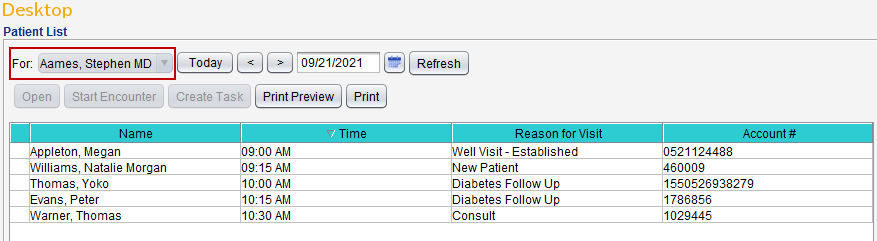
Once enabled, the Patient List will display the schedule for the logged in user only and no other schedules can be selected.
System Update Alert
Users who are not using the most current version of Sevocity will receive an alert to notify them an update is required.

This alert will display within the Sevocity application after logging in, and upon clicking OK the application will exit to prompt a relaunch of Sevocity.
Questions about our new features?