Potentially Undiagnosed HTN Report
The Potentially Undiagnosed HTN Report displays a list of potentially undiagnosed hypertension patients. Patients who meet the following conditions are included in the report:
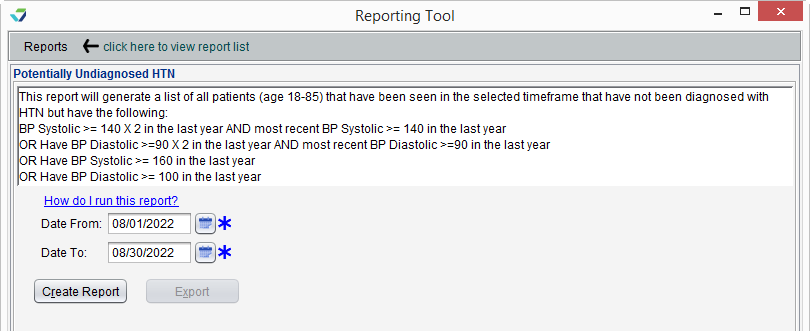
Patients aged 18-85 that have been seen in the selected time frame that have not been diagnosed with HTN but have the following:
BP Systolic ≥ 140 X 2 in the last year AND most recent BP Systolic ≥ 140 in the last year
OR Have BP Diastolic ≥ 90 X 2 in the last year AND most recent BP Diastolic ≥ 90 in the last year
OR Have BP Systolic ≥ 160 in the last year
OR Have BP Diastolic ≥ 100 in the last year
 Run the Potentially Undiagnosed HTN Report
- From the Reporting Tool, go to Reports > Potentially Undiagnosed HTN Report
- Populate Date From and Date To fields to specify the patient visit date range
- Click Create Report
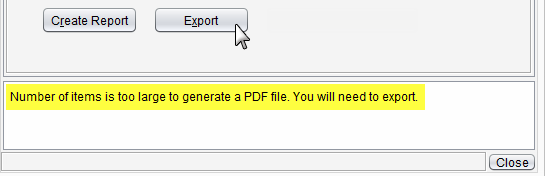
Note| Reports with an extensive amount of data are unable to be generated as a PDF and will require the user to export the report to view the data. | ||
 | ||
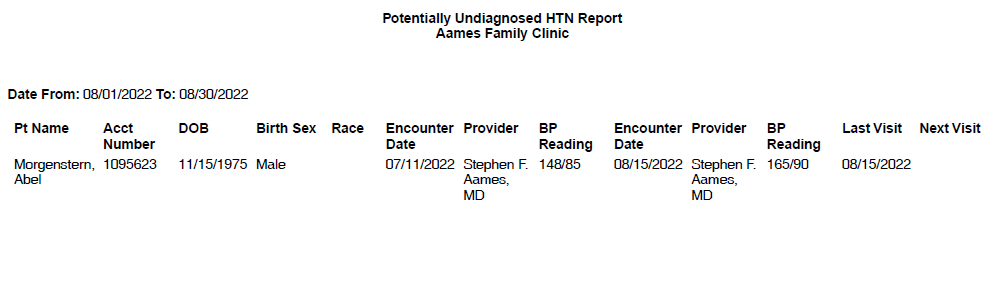
Report DisplayThe Potentially Undiagnosed HTN report will display the Pt Name and patient demographic data, Encounter Date, Provider, and BP Reading for the first visit, Encounter Date, Provider, and BP Reading for the second visit, and the patient's Next Visit date.
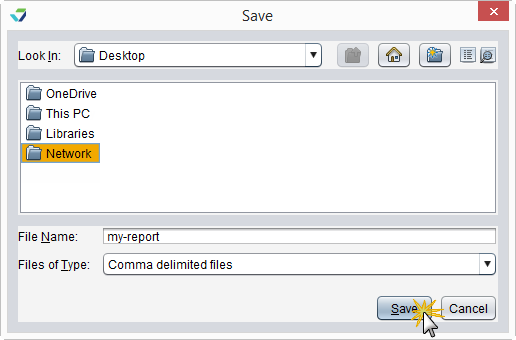
Export Report DataGenerated report data can be exported and saved outside of Sevocity to a destination selected by the user, such as a network drive or local machine.
- From the report, click Export
- Select a location to save the file and type a File Name
- Click Save
The data will be saved as a comma delimited file (.csv)
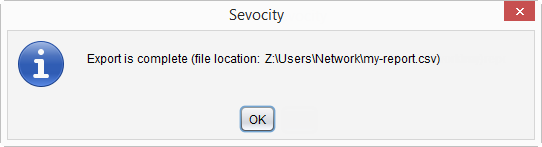
Click OK to acknowledge the export is complete
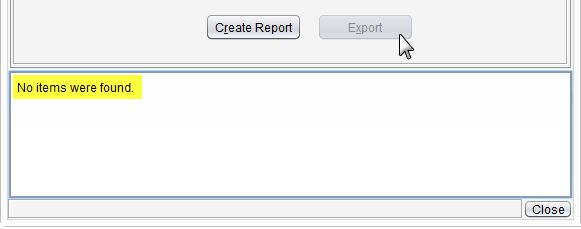
Why is the Export Button Disabled?The Export button becomes enabled only if there is data in the generated report.
Didn't find the answer you were looking for?
Contact Sevocity Support 24/7 at 877‑777‑2298 or support@sevocity.com