Predictive DSI
Tools > Preferences > CLINIC > Predictive DSI
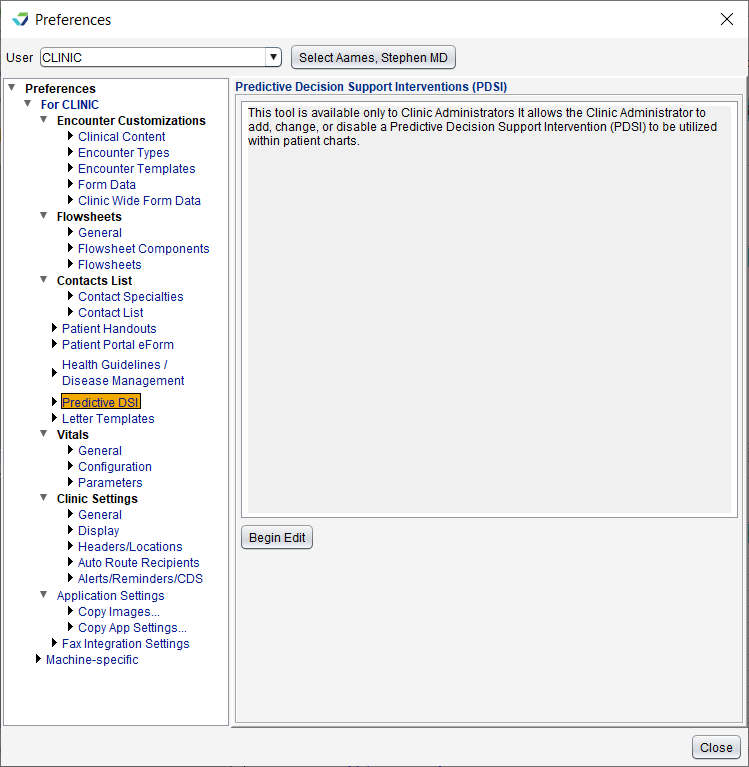
Predictive DSI is a Clinic Administrator tool used to add, change, or disable a Predictive Decision Support Intervention (DSI). Predictive DSIs are healthcare tools that produce recommendations or predictions for patient care based on technology such as algorithms and machine learning.
This Preference is only available to customers with an active Predictive DSI integration.
 Modify a Predictive DSI
Go to Tools > Preferences > CLINIC > Predictive DSI > Begin Edit
Select the tool from the Predictive DSI list
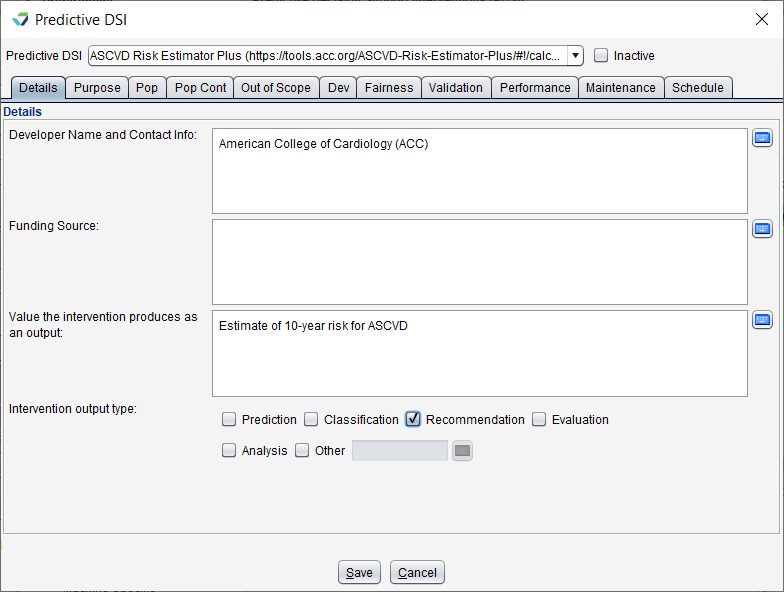
Add or update the intervention source attributes from any of the following tabs:
Details
Purpose
Pop (Population)
Pop Cont. 1(Population Continued)
Pop Cont. 2
Pop Cont. 3
Out of Scope
Dev (Development and Input Features)
Fairness
Validation
Performance
Maintenance
Schedule
Click Save
Disable a Predictive DSIGo to Tools > Preferences > CLINIC > Predictive DSI > Begin Edit
Select the tool from the Predictive DSI list
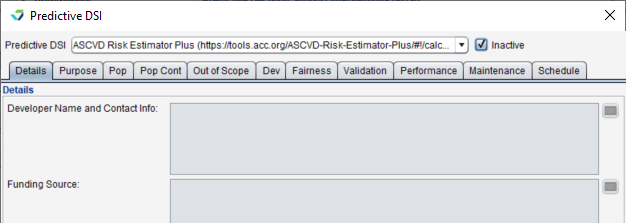
Select the Inactive checkbox
Click Save
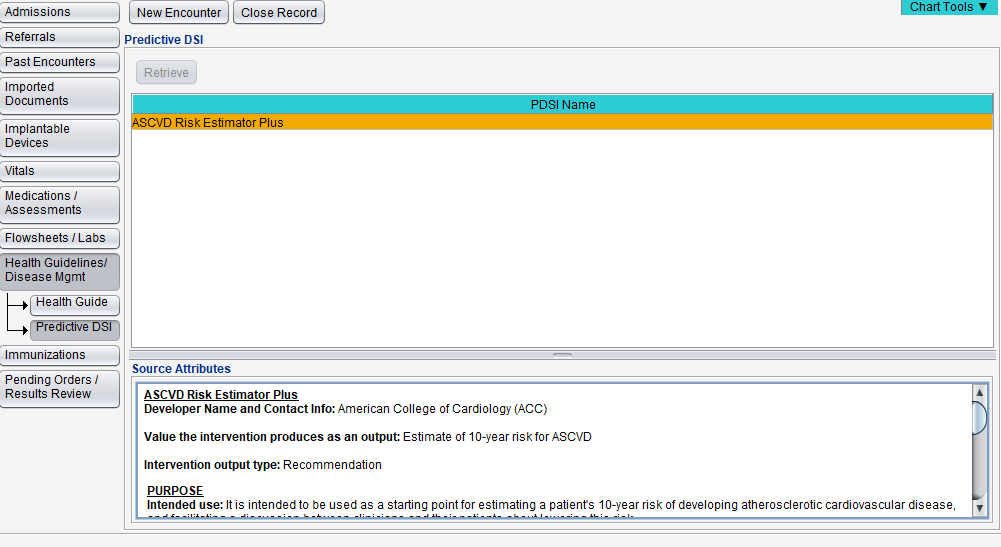
View a Predictive DSI in the Patient ChartGo to Chart > Health Guidelines/Disease Mgmt > Predictive DSI
Click Retrieve
The Predictive DSIs that apply to the patient will display
Select the Predictive DSI from the PDSI Name list
Details of the Predictive DSI can be viewed in the Source Attributes section
Didn't find the answer you were looking for?
Contact Sevocity Support 24/7 at 877‑777‑2298 or support@sevocity.com